
navMSU - Staff-Initiated Appointments
Staff and faculty can schedule appointments on behalf of a student and, when care unit permissions allow, on behalf of colleagues within the same care unit. You can also schedule a meeting for a student outside of your set availability times. If your department uses the Appointment Center, students can also schedule through a front desk staff member.
Staff-Initiated Appointment
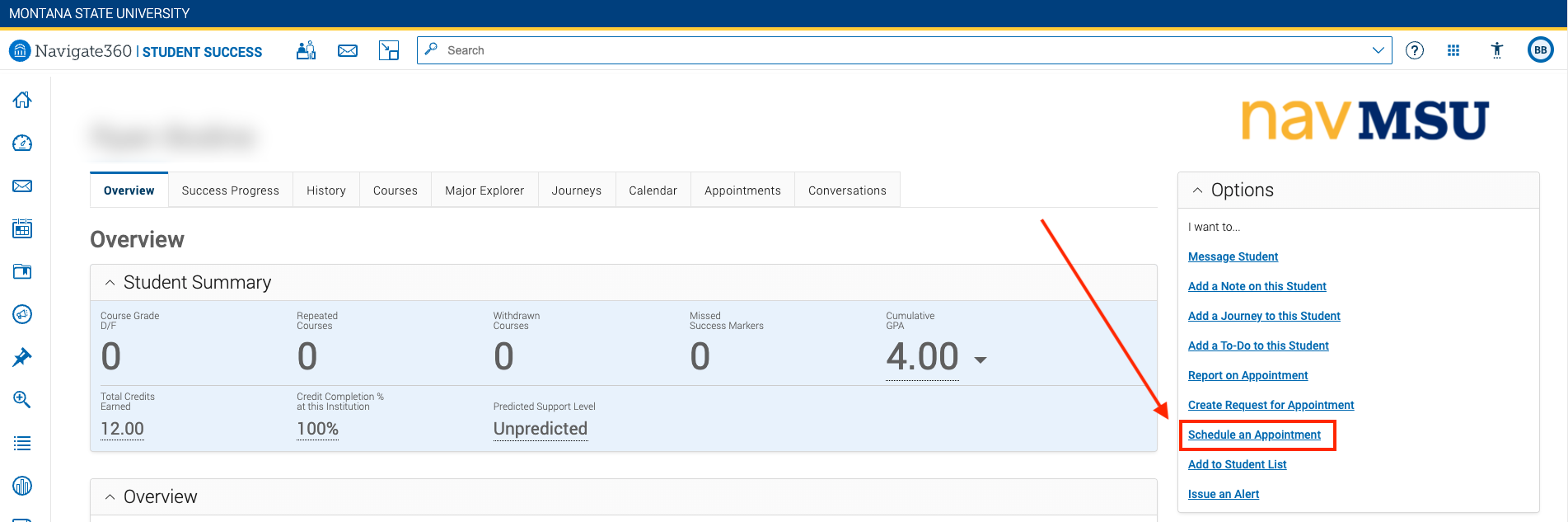
- Search the student in the search bar, then select Schedule an Appointment on the right-hand side of the page.
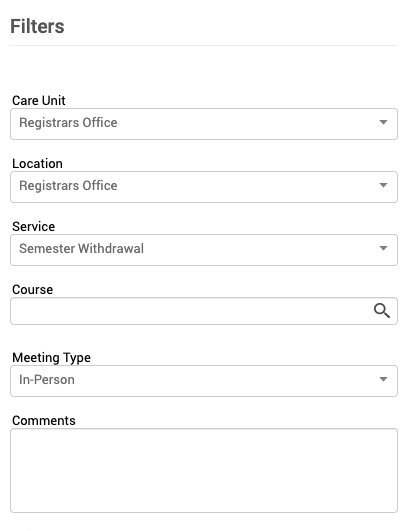
- Enter the relevant details for the care unit, location, service, and meeting type.
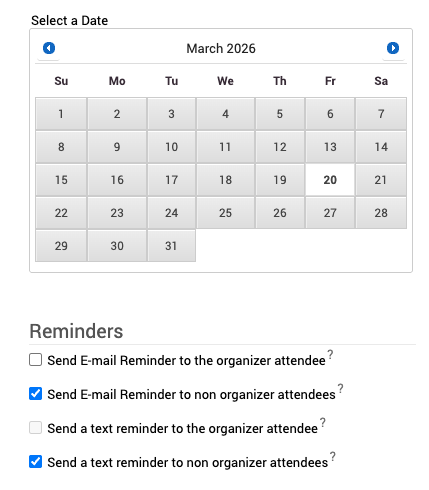
- Select the relevant date and adjust the appointment reminders if needed.
- Select your name as the organizer to display your schedule. If your care unit permissions allow, you can select another
organizer to schedule on their behalf.
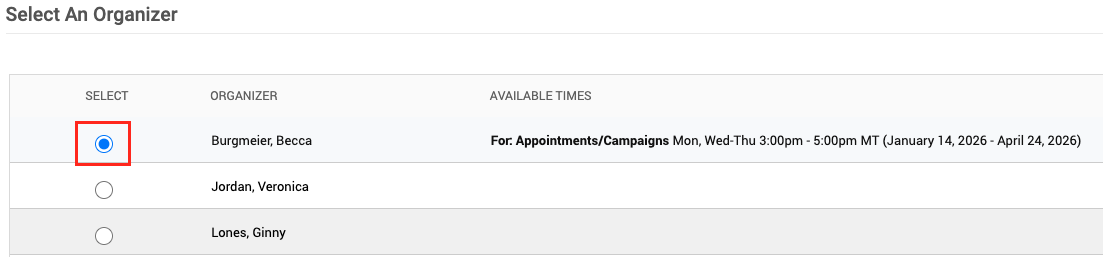
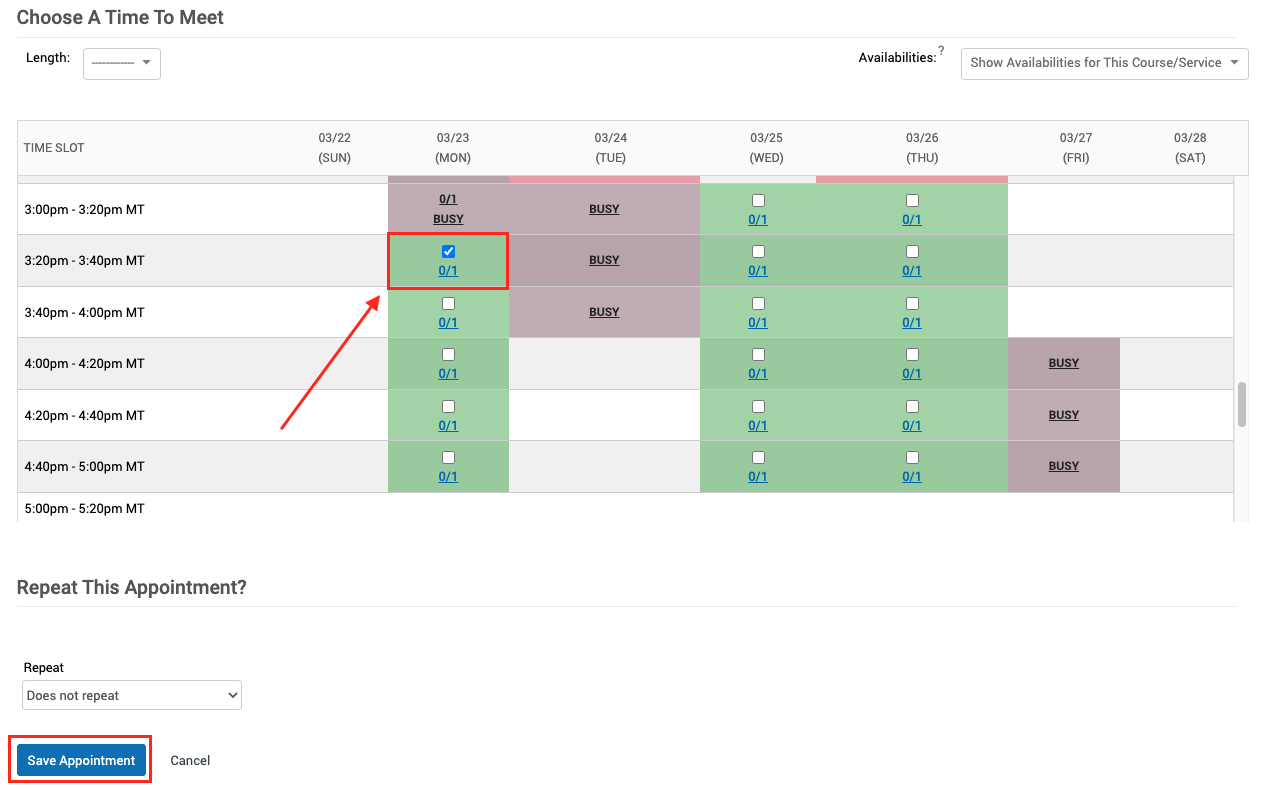
- Select the appropriate appointment time and click Save Appointment.
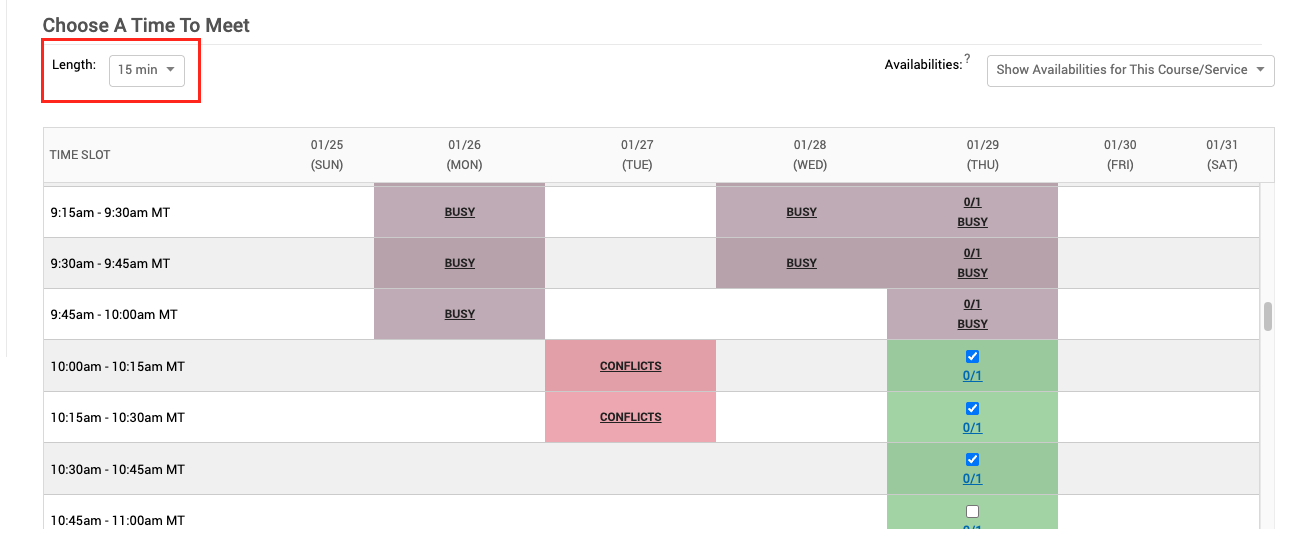
- For 45-minute appointments, time slots may appear unavailable in the staff view due to predefined time blocks. Switch
the length of appointment times to 15-minutes to see full availability and select
three consecutive blocks to create a single 45-minute appointment. This issue only
affects the staff view; student scheduler and Appointment Center display correctly.
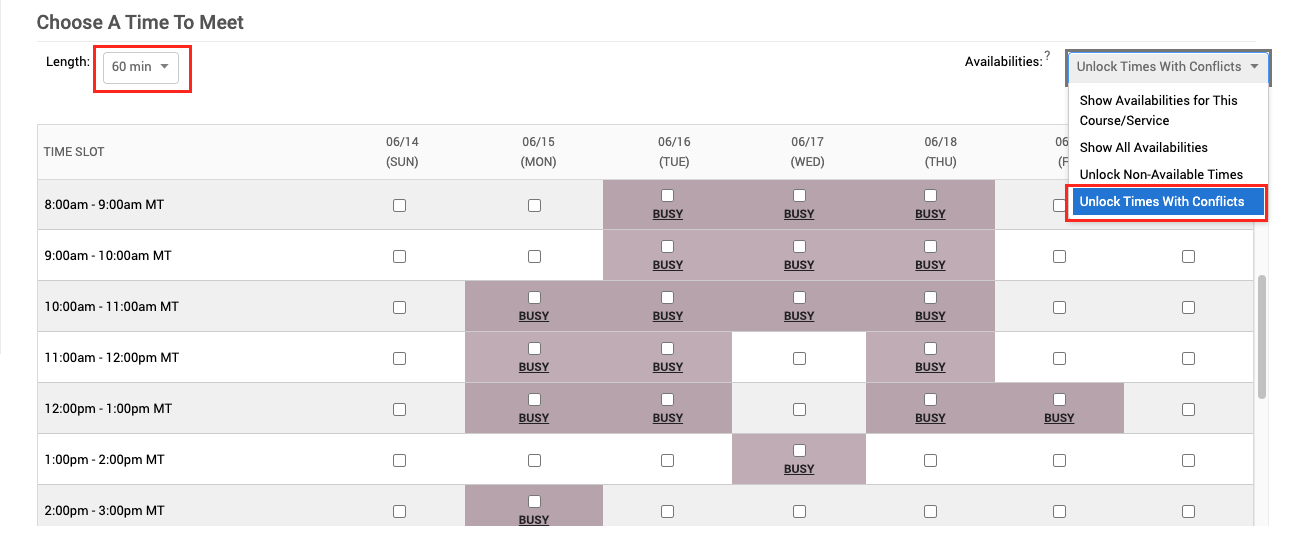
- If a student wants to book a time that is not listed in your availability, you can
override availability by selecting either Unlock Non-Available Times or Unlock Times with Conflicts. You can also adjust the length of the meeting under the Choose a Time to Meet header.